BIGBOARD.GAMES November Update: Billiards and Tower Defense
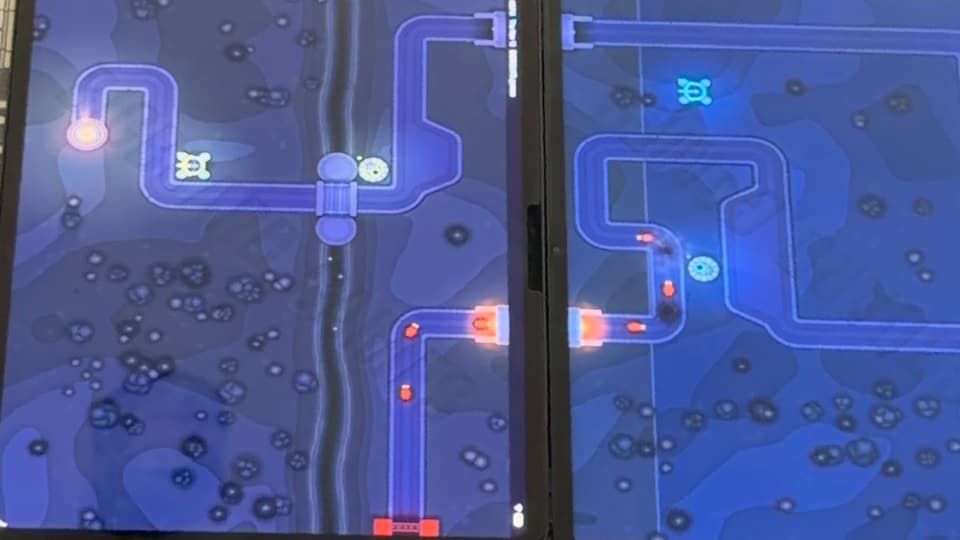
The BIGBOARD.GAMES November update brings two new free games, Billiards and Tower Defense, two new lists of games, a new name for the mole game and a site that opens in your language. November is just over a week old, and this is what it has already changed for players. The full list, entry by entry, is on What's new.
Two new games: Tower Defense and Billiards
Tower Defense came out on November 4. One road winds across all your devices laid together. Each player builds towers on their own ground, and the whole table holds off the waves of bugs before they reach the lantern at the road's end. A day later it got an Endless mode next to 15 and 30 waves: the waves keep coming, tougher each time, until the lantern breaks. You can play it alone on one device, two to a screen, or with bots at four levels, from Easy to Impossible. If tower defense is new to you, the idea fits in a sentence: build towers along the road, and they stop whatever comes down it.
Billiards followed on November 6. Phones and tablets pushed together make one pool table, and no strip of the cloth hides under a bezel. Drag to aim, pull the cue to shoot. It has five modes, 8-Ball, 9-Ball, Snooker, Killer and Cutthroat, for two to eight players, or two on two in 8-Ball and Snooker.
Billiards now has a page for every way to play it: two players, three, four, two on two, one device passed round and with bots. Each page shows how to lay the devices out and has a Play button that opens the game.
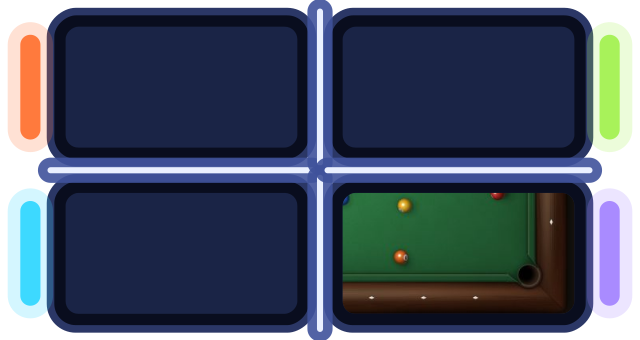
Opens a table in your browser. No app, no sign-up.
Two new lists of games
Two new pages gather games by how you want to play:
- Games against the computer: every game with bots, at four levels. Play one alone on your phone, or let bots fill the empty seats at a table of friends.
- Co-op games: the games where the whole table is one team against the game. Tower Defense, Tilt Run and the Cooperative mode of Mole Pop: defend one road, steer one marble or hold off one field of moles together.
"One device" for the real-time games
In a turn game like Chess or Billiards, two people share one device by passing it back and forth. In a real-time game like Air Hockey or Hot Potato nobody passes anything: both play the same screen at the same time. So those pages now say what they are. For the real-time games, the one-screen page is called One device, for example Air Hockey on one device. The turn games keep Pass and play. Old links still work, and every one of these pages is on the list of 2 player games on one phone.
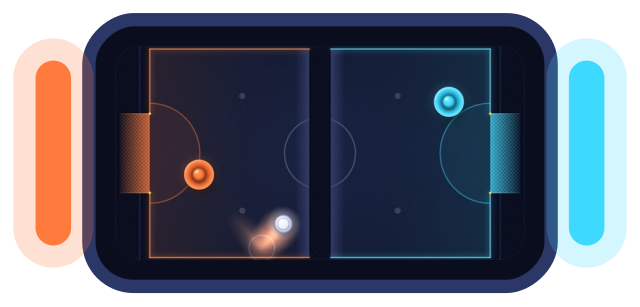
Opens a table in your browser. No app, no sign-up.
Mole Pop, the new name of the mole game
The mole game has a new English name: Mole Pop. The game is the same: bop a mole and it pops up on someone else's screen, or switch to Cooperative and hold off the moles together. Its page moved to a new address, and the old links take you there. In the other languages its name stays as it was.
The site speaks your language
The site and the app speak seven languages: English, Ukrainian, Spanish, Russian, German, Polish and Simplified Chinese. Until now, a link to an English page opened in English, whatever your device spoke. Now an English page that also exists in your device's language opens in that language. If you pick a language yourself, the site remembers it and stops guessing. Every game has its pages in all seven.
Smaller things
- Add a friend, a bot or just a screen. The + asks who joins: a friend on their own phone, a bot, someone sharing your screen, or a screen that only shows the board. You pick a bot's level and name before it sits down.
- Music at every table, at half volume to start. One tap in the game menu turns sound or music off. Checkers, Islands, Sea Battle and Chess play calm music that follows the match.
- Every mode can be picked, even when your table can't play it yet. The Start button then says what's missing, like "Add 1 player", and tapping it adds them.
- Two iPhones top to top? An iPhone whose top touches another phone now gets a tip to keep Apple Pay and AirDrop from popping up: leave a finger's gap, or turn one phone sideways.
Coming next
Five games are on the way: Hippo Chomp, Card Games, Racing, Jigsaw Puzzle and Tic-Tac-Toe. Tap Get notified on a game's card, sign in with Google or your email if you haven't, and we'll email you when it comes out.
To try any of this, open BIGBOARD.GAMES on a couple of phones and tap Start a table, or see how to play games on two phones together first. For a whole evening of it, there are game night ideas for your phones, and how phones become one board explains what happens at the gap between two screens.